Arduino CLI — AI Assistant Prototype
What if an AI assistant could not only write a sketch, but also compile it and upload it to a board? This prototype explores that question on top of Arduino CLI, the command-line tool that also powers Arduino’s editors.
My contribution
I built a design-engineering prototype connecting a conversational interface to typed tools around Arduino CLI. The interface exposes the selected sketch, board and command output so the actions remain inspectable.
Why build it
In the research behind Arduino’s AI Assistant, a recurring request was “don’t just show me the code — apply it.” Copy-pasting between a chat and an editor broke people’s flow. This prototype tests what changes when the conversation can act: create and manage sketches, find boards and libraries, compile, and deploy.
How it works
Pydantic AI connects the model to typed tools wrapped around Arduino CLI’s JSON output — listing boards, searching libraries and cores, compiling, and uploading. The interface puts chat, sketches, board selection, and command output side by side, so every action the assistant takes stays visible.
Prototype evidence
The recording and frames below show sketch reading and writing, compilation and library search. The prototype also explores board discovery and upload tools; the frames shown here do not establish an end-to-end hardware upload.
The front end uses shadcn/ui and was prototyped with bolt.new. This was an exploratory prototype, not a shipped Arduino product.
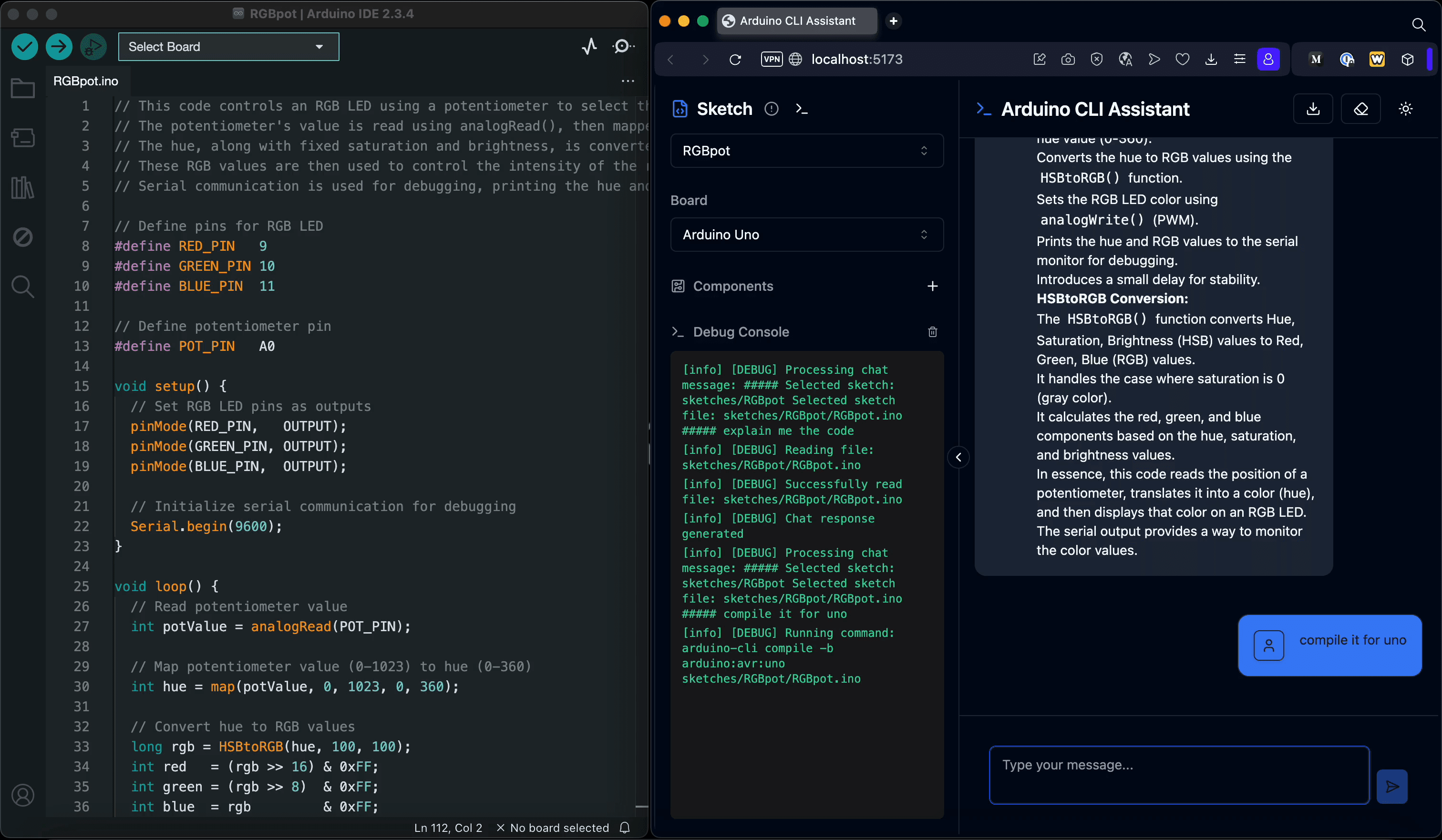
The assistant reads the selected RGB LED sketch and calls Arduino CLI to compile it for an Uno. The command remains visible in the debug console.
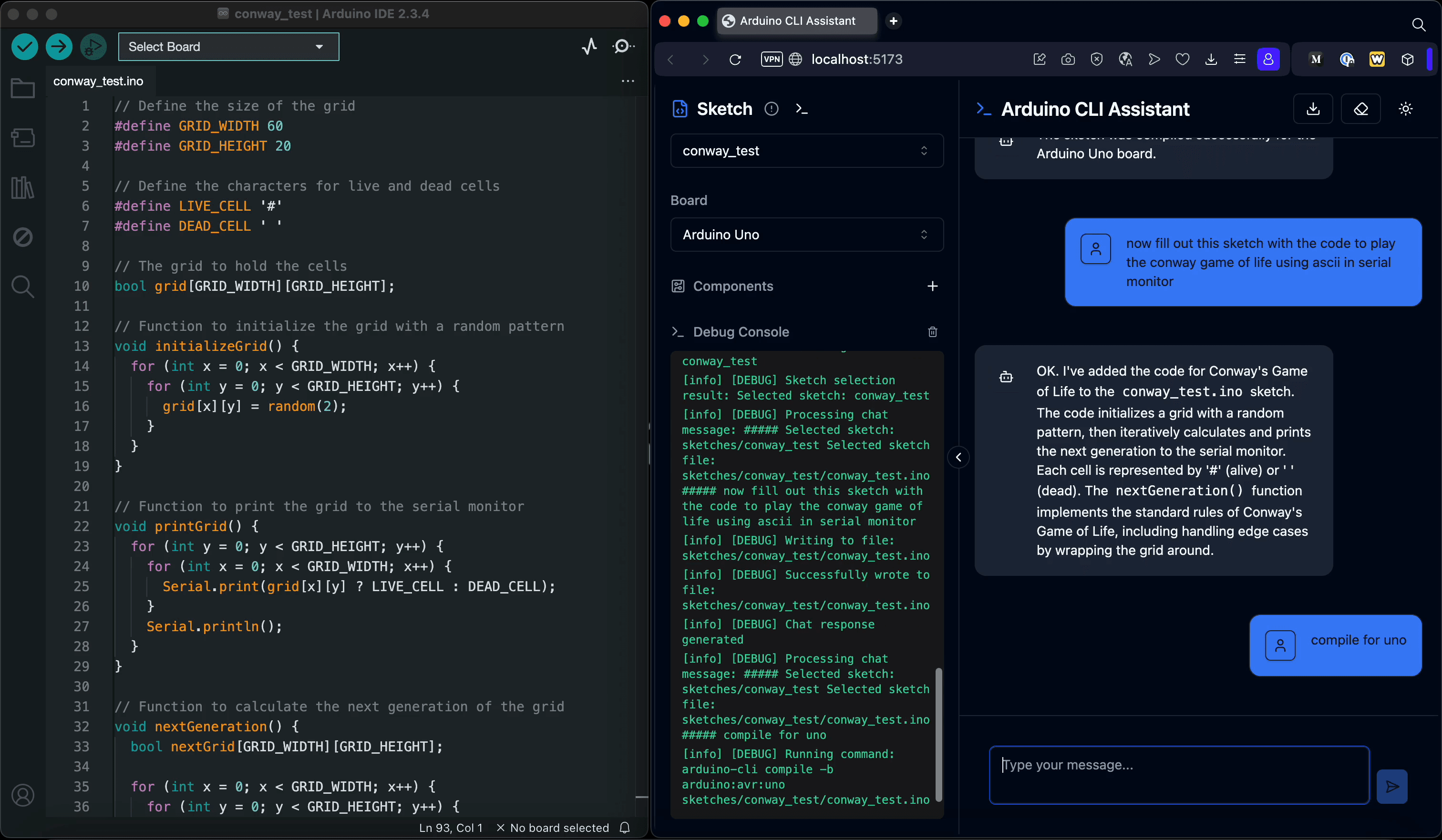
A request to write Conway’s Game of Life becomes a file change. The recording shows the sketch in IDE 2 alongside the conversation and tool output.
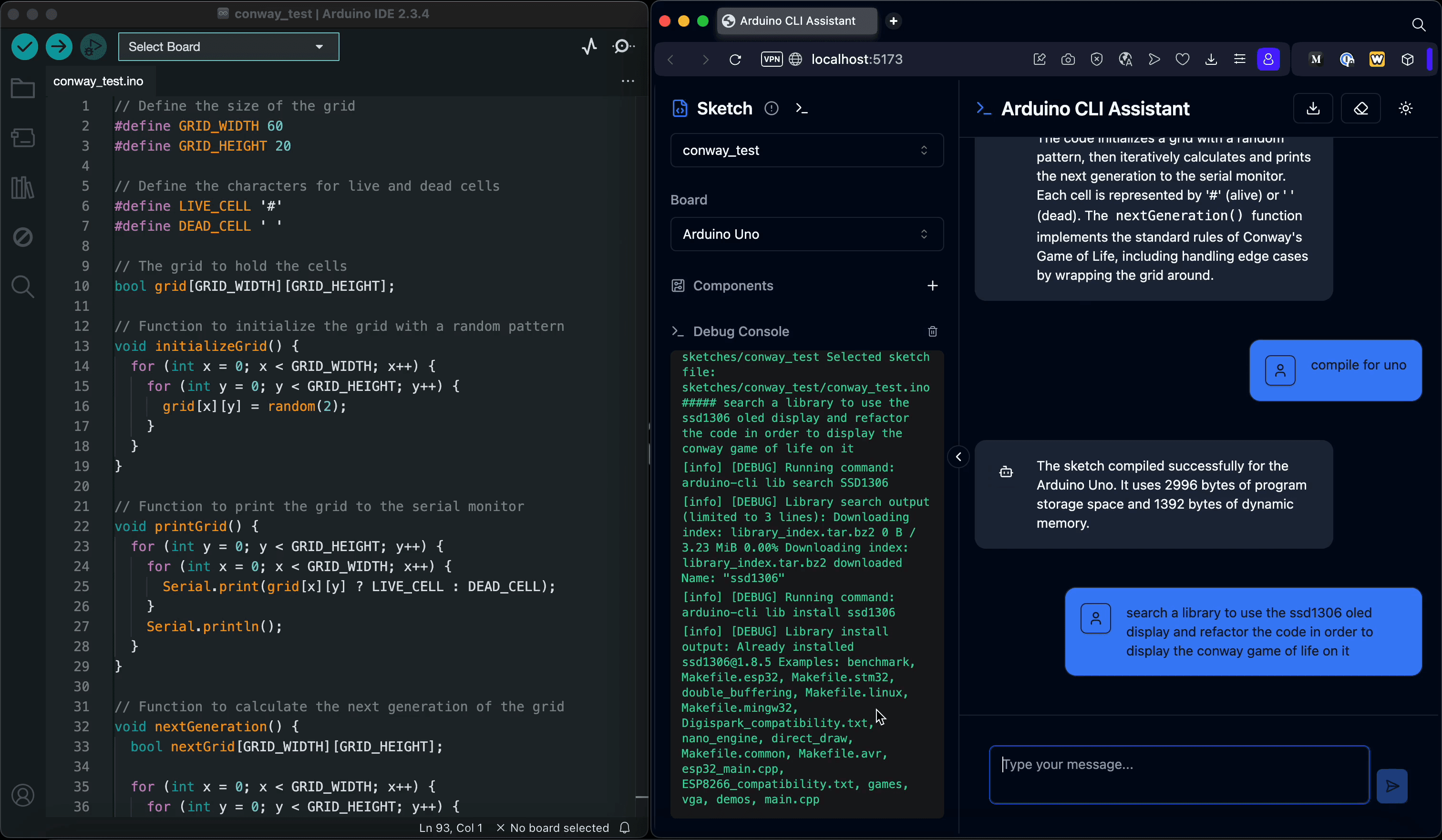
The interface reports a successful compilation, then searches for an SSD1306 library. These frames document the prototype; they are not a shipped Arduino product.