Arduino IDE 2, Cloud Editor & AI Assistant
Every Arduino project passes through an editor. I worked across the desktop IDE 2, the browser-based Cloud Editor, and the AI Assistant inside it — first making the tools clear and consistent, then helping people with the hardest part: writing the code.
My role
Senior Product & Interaction Designer on the IDE Tooling team. UX/UI for IDE 2 and Cloud Editor, building on Giannicola Baiardi’s design direction; experience design and user research for the AI Assistant.
The case study covers product and research work from 2022 to 2025. The separate Arduino CLI assistant is an exploratory prototype.
IDE 2: clearing the path to upload
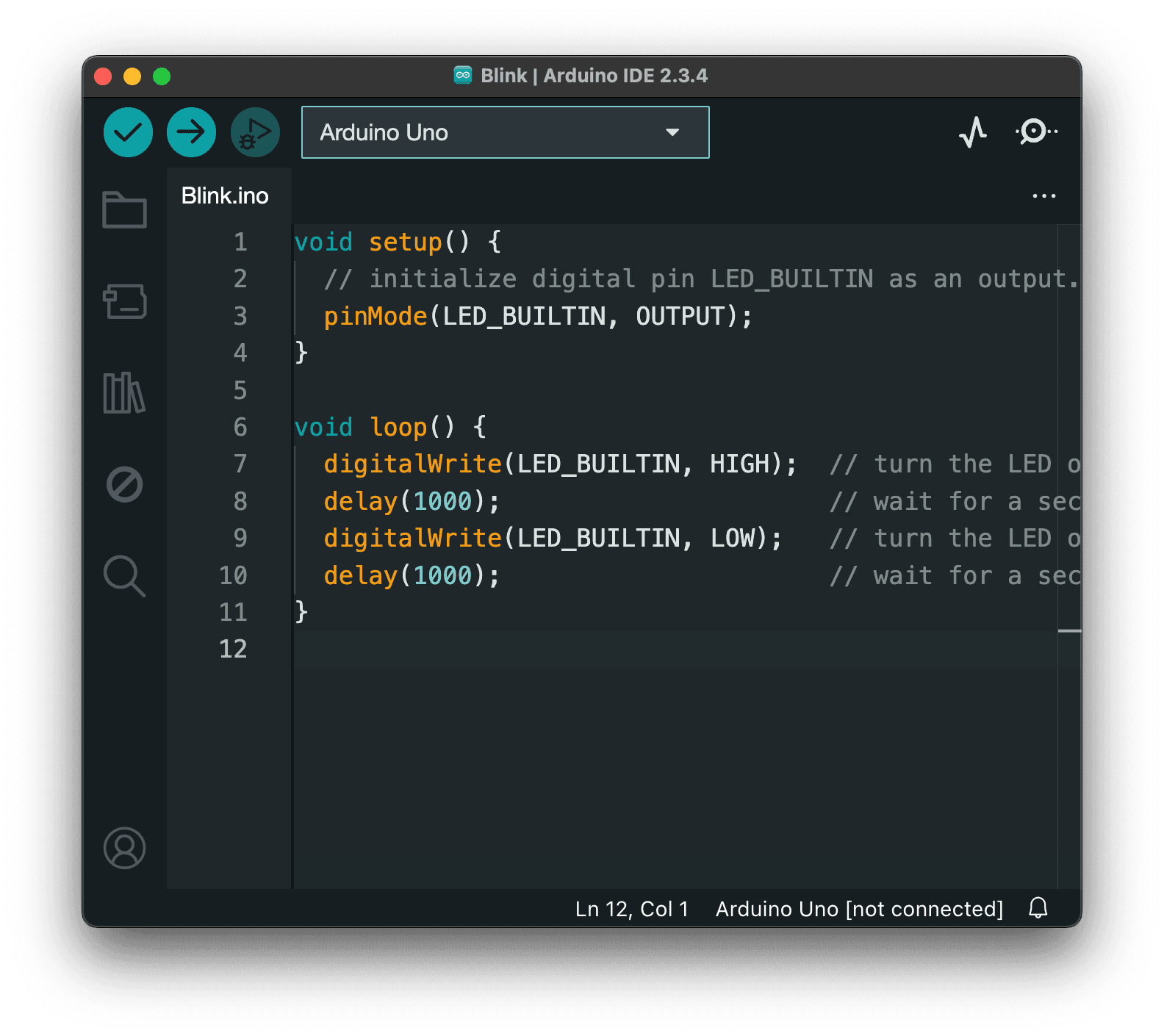
IDE 2 rebuilt the desktop editor on a modern foundation. A rebuild risks burying the essentials, so I worked where people spend their time: the toolbar, the side panels, and the Serial Plotter.
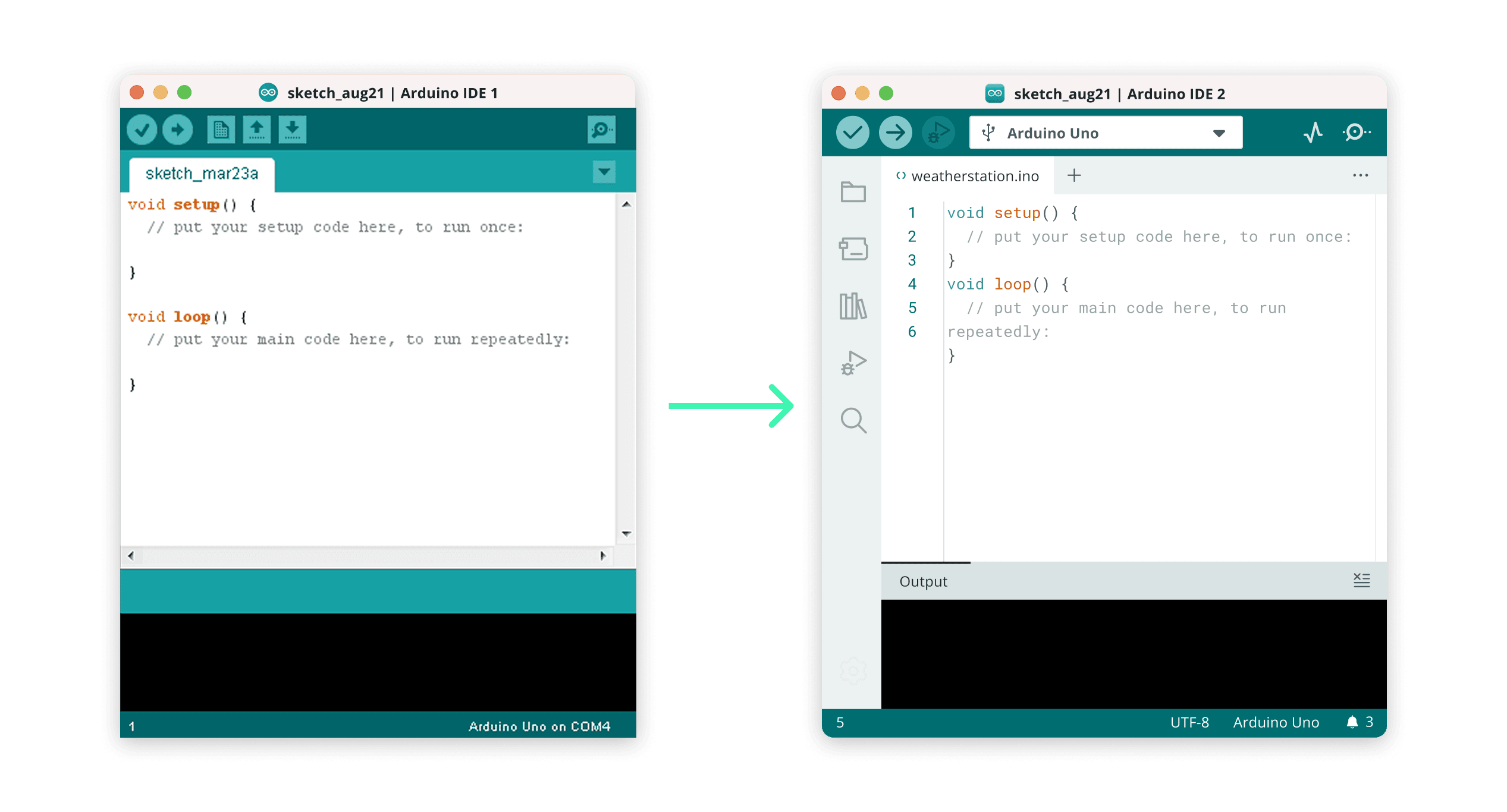
IDE 1 to IDE 2: verify, upload, debug, and board selection in one compact sequence.
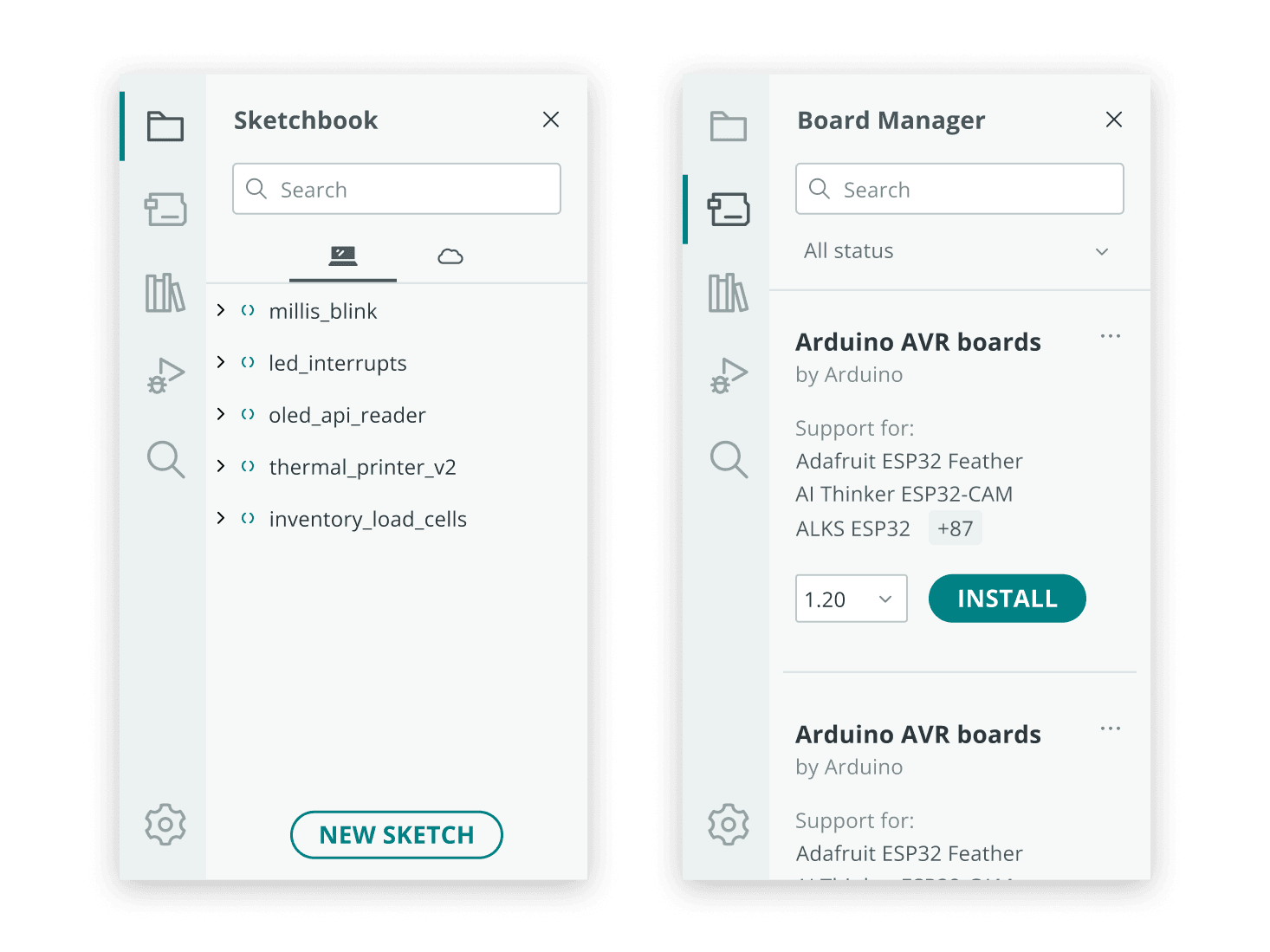
Sketchbook and Boards Manager — like every panel — share one sidebar layout next to the code.
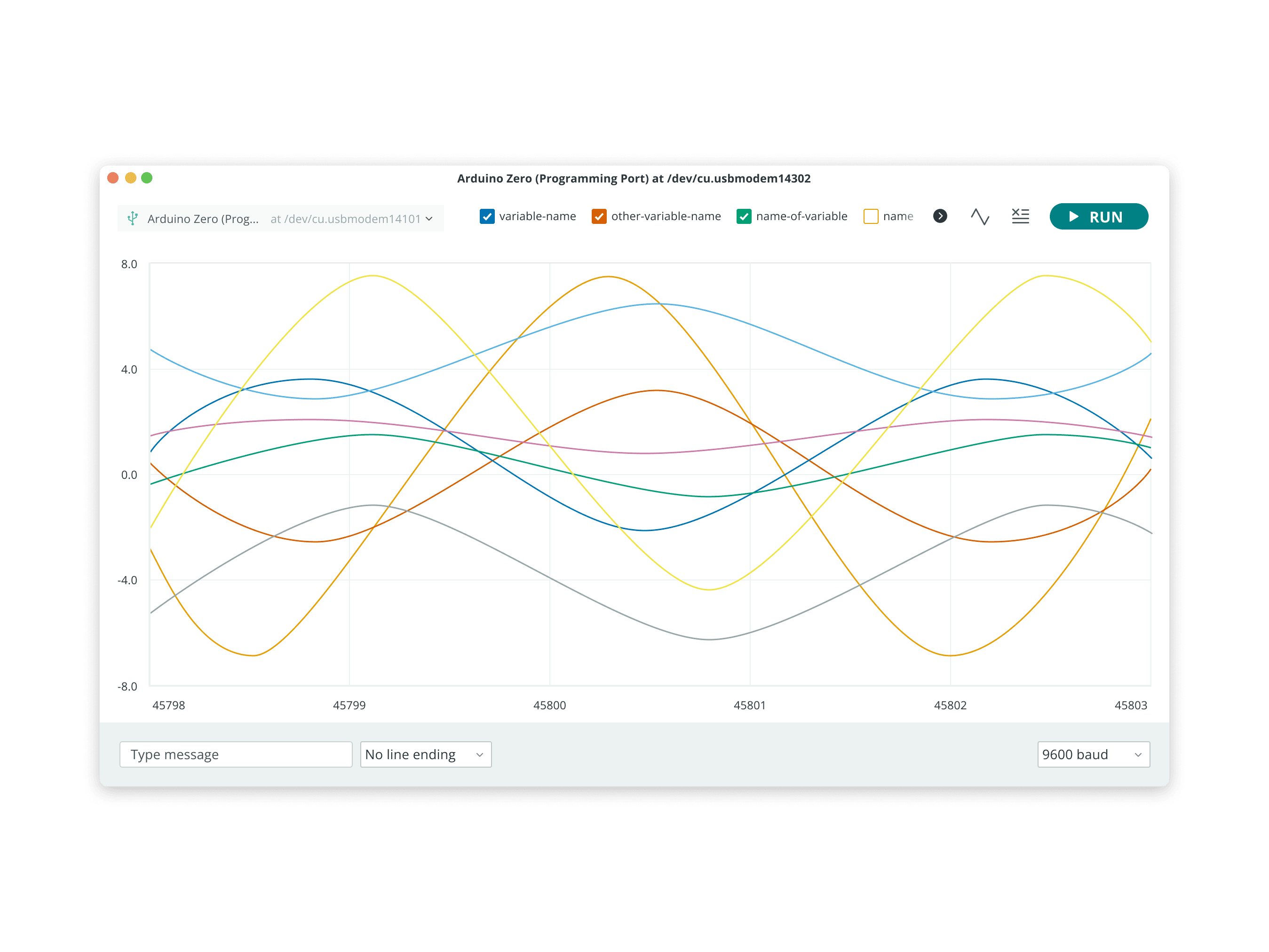
The Serial Plotter: live traces, a legend to show or hide each variable, and controls beside the chart.
Cloud Editor: one way of working
People move between tools — teachers often in the browser, professionals on the desktop. Bringing IDE 2’s patterns to the browser meant habits carry over, improvements reach both tools at once, and the AI Assistant would have a familiar place to live.
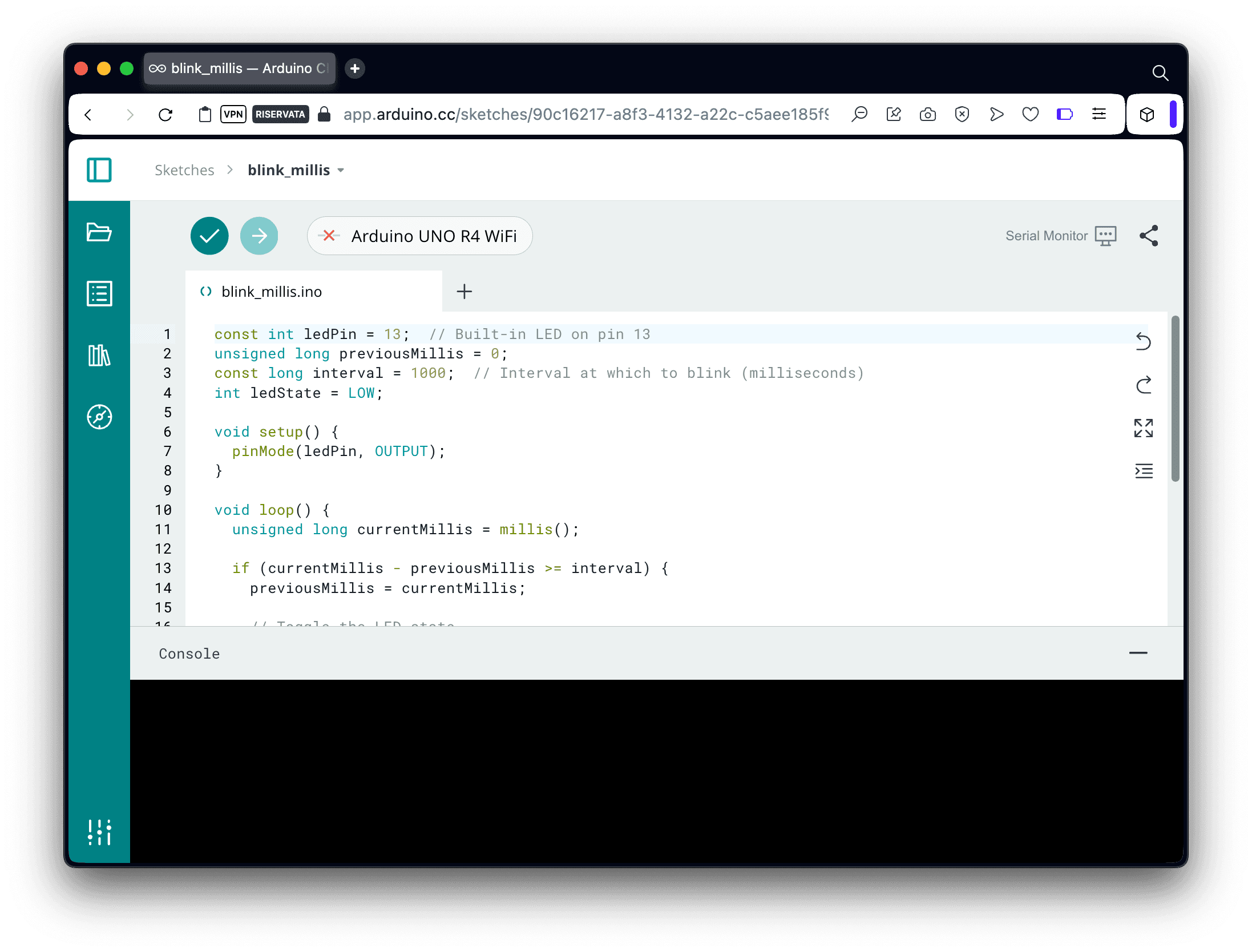
Cloud Editor adopts the sidebar and toolbar from IDE 2.
AI Assistant: help with the hardest part
Writing code is still the steepest part of building with Arduino, and cryptic compiler errors are where projects stall. Our principle: AI should augment people’s learning and making, not replace it.
We prototyped three interaction models — one-shot commands, suggestions as you type, and a chat panel — and piloted with chat, the most flexible way to learn what people needed. Every request carries the current sketch, the selected board, and the latest compiler error, so answers fit that code on that board. We chose the model with an Arduino benchmark of our own (why we chose Claude).
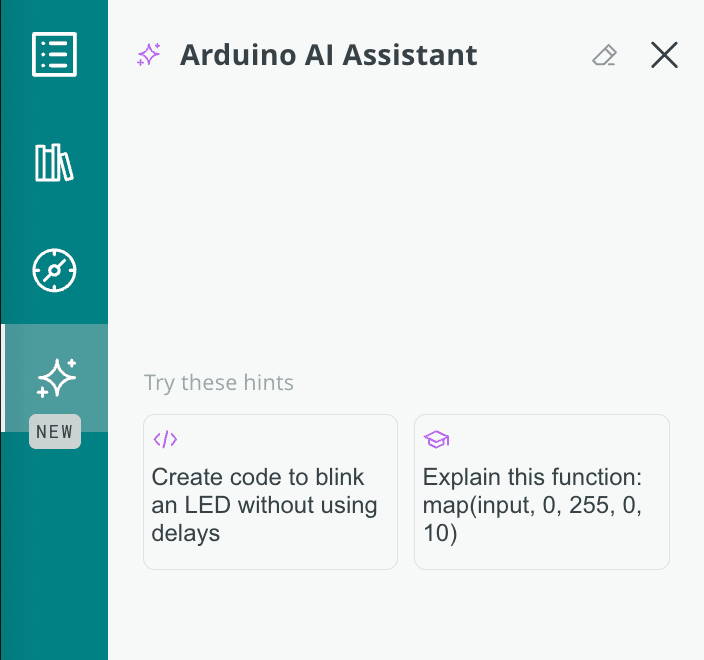
Hints turn a blank chat into a first step.
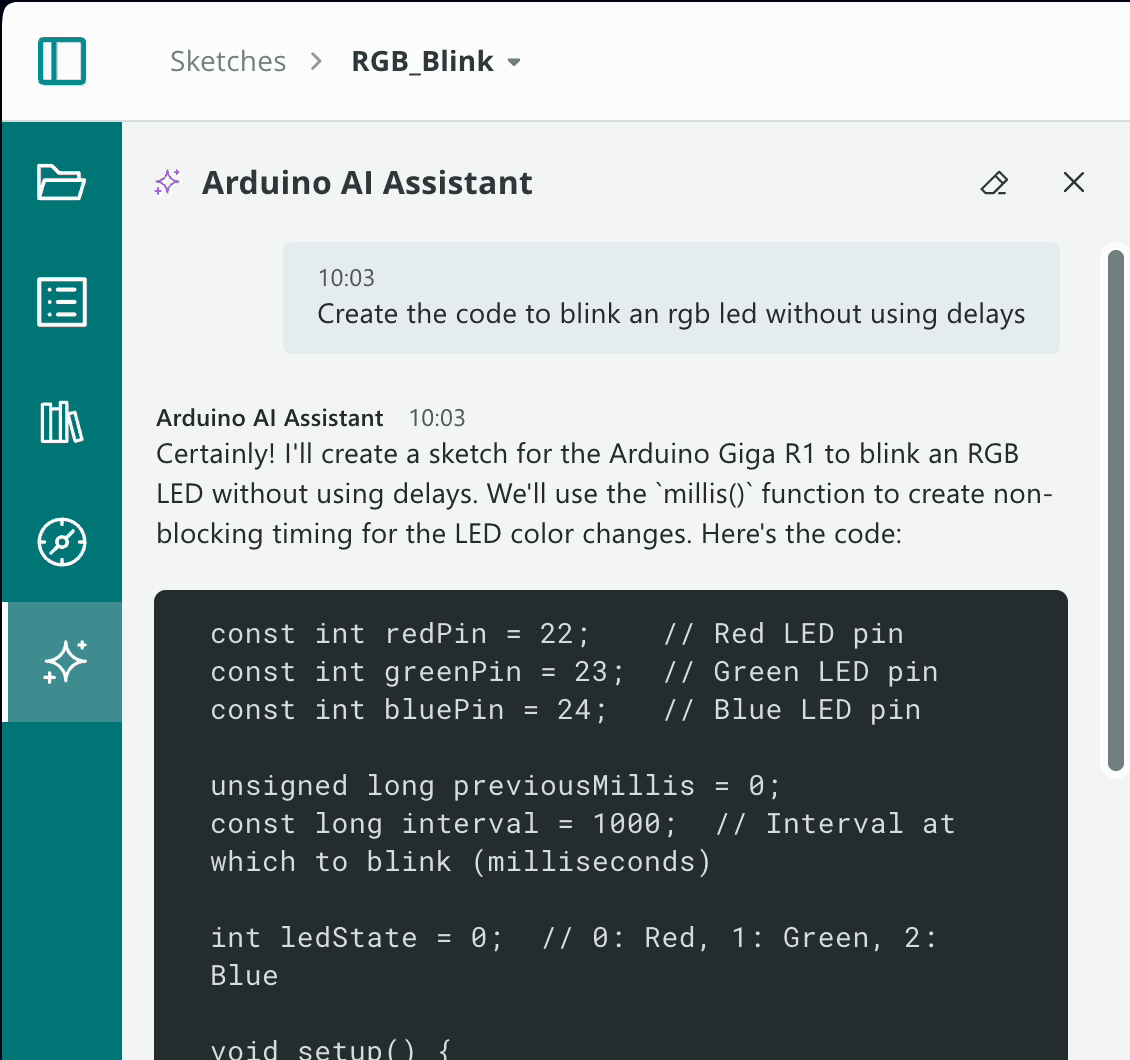
The answer is written for the selected board — here, a GIGA R1.
Before launch: a hint becomes a sketch, copied into the editor by hand. Research asked us to remove that step.
What people told us
In a closed beta, I interviewed makers, educators, and enterprise developers. Three findings reshaped the product.
“It doesn’t know our hardware.” We added retrieval from curated documentation, library references, and pinouts, with sources cited in every answer.
“Six or seven iterations before the code works.” Help had to arrive at the moment of the error.
“Can it apply the code to my sketch?” Changes had to land in the sketch, and be easy to take back.
From compiler error to one-click fix
The last two findings became one feature. When a sketch fails to compile, a Fix errors button appears next to the error, and the assistant proposes the fix as a diff to apply in one click, or undo. Showing exactly what will change builds trust and turns an error into a moment of learning.
What I took away
Context beats cleverness: the selected board and the compiler error did more for answer quality than a smarter, generic model. And consistency compounds: because IDE 2 and Cloud Editor already shared their patterns, the assistant had a familiar place to live — and a natural path back to the desktop, a request we heard again and again.